
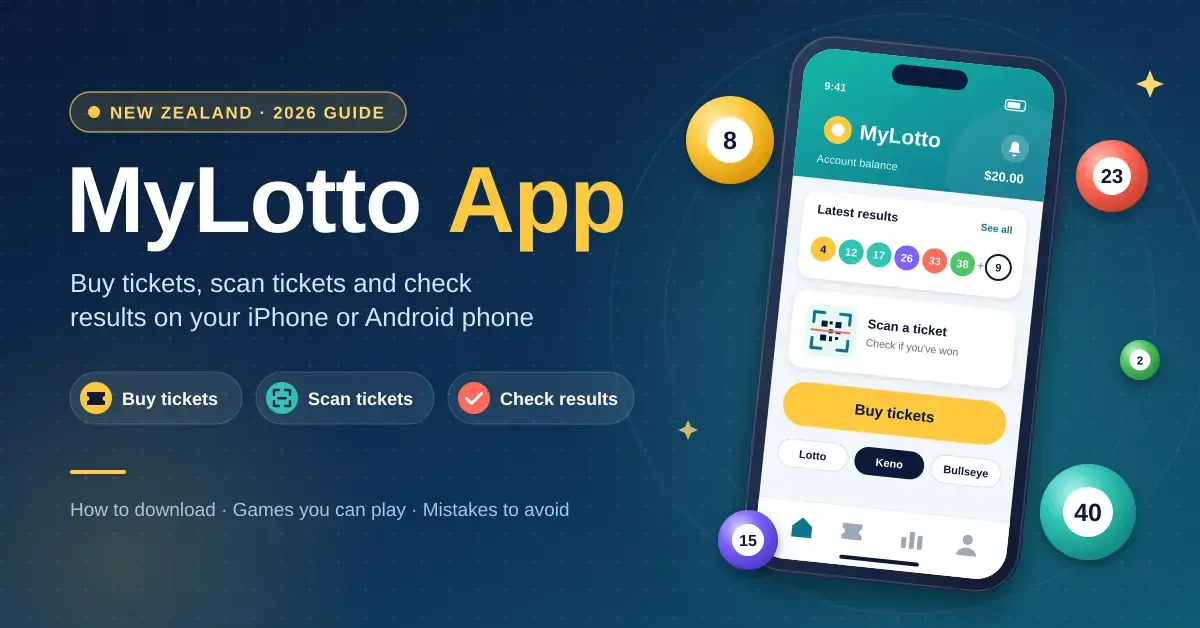
The MyLotto app is the official mobile app from Lotto New Zealand (Lotto NZ). It lets you buy tickets, scan paper tickets, check results and manage your account from an iPhone or Android phone, anywhere in New Zealand. This guide explains what the app does, how to download it, which games you can play and the common mistakes to avoid — with the latest 2026 rule changes included.
What is the MyLotto app?
The MyLotto app is the smartphone version of MyLotto, the online account system run by Lotto NZ, the government-owned operator of New Zealand’s lottery games. The name “MyLotto” covers both the website (mylotto.co.nz) and the app; they share the same login and the same account balance, so anything you do on one appears on the other.
The app is built for players who are physically in New Zealand. It is not a global lottery service and does not sell tickets for overseas draws such as US Powerball, EuroMillions or Mega Millions — it covers the official New Zealand games only. To buy tickets you need a MyLotto account and must be 18 or older.
Quick Facts
| Developer | Lotto New Zealand (Lotto NZ) |
|---|---|
| Official download | App Store & Google Play (via mylotto.co.nz) |
| Price / licence | Free to download |
| Operating systems | iOS (iPhone & iPad) and Android |
| File size | Varies by device and store |
| Availability | New Zealand only; account holders must be 18+ |
| Games covered | Lotto, Powerball, Strike, Keno, Bullseye, Instant Kiwi |
How to download the MyLotto app
The MyLotto app is free to download from the official app stores. You install it like any other app, then sign in with your MyLotto account or create one.
On Android (Google Play)
Open the Google Play Store on your Android phone or tablet, search for “MyLotto” and tap Install. New Zealand has been a supported Google Play country for years, so the app downloads normally to NZ devices.
On iPhone and iPad (App Store)
Open the Apple App Store, search for “MyLotto” and tap Get. The app is designed for iPhone and also runs on iPad.
Can I still download it from the website?
No. Lotto NZ no longer offers a direct app file (an Android APK) download from its website. The only safe way to get the app is through the Google Play Store or the Apple App Store, which also keeps it updated automatically. Avoid any third-party site offering a “MyLotto APK” — those are not official and can be unsafe.
What can you do with the MyLotto app?
The MyLotto app brings buying, checking and account management into one place. Here is what each feature does.
Buy tickets online
Once you are logged in, you can buy Lotto, Powerball, Strike, Keno and Instant Kiwi tickets directly in the app, right up until sales close before a draw. Payment comes from the money in your MyLotto wallet, which you top up from a bank card or account, and any winnings are paid back into the same wallet automatically.
Scan and check paper tickets
If you bought a paper ticket in a shop, the app’s ticket checker lets you scan the barcode with your phone camera to see instantly whether it has won. It is the same idea as our Lotto ticket scanner guide, and it saves a trip back to the store. Larger prizes are still claimed in the usual way.
Save favourite numbers and set reminders
You can store your favourite number combinations so you don’t have to re-enter them every week, and set reminders for upcoming draws so you never miss one. If you prefer random numbers, the app’s Lucky Dip picks them for you.
Check results and watch the draw
The app shows the latest results for every game and keeps a history of your tickets. For draws you have entered online, it can play an on-screen animated draw so you can watch your numbers come up.
Manage your account securely
You can view your balance, transaction history and responsible-gambling settings in the app. To sign in, you can use a fingerprint, face recognition or a 4-digit PIN instead of typing your password each time.
Which games can you play on the MyLotto app?
The app covers New Zealand’s main draw and instant games. The table below compares how each one works; the sections after it explain them in plain terms. Prices are a guide only — confirm the current price in the app or in-store before you buy.
Game Comparison
| Game | How you play | Number range | Approx. cost | Draw frequency |
|---|---|---|---|---|
| Lotto | Pick 6 numbers per line, minimum 4 lines | 1–40 | ~$0.70 per line | Wed & Sat |
| Powerball | Add 1 Powerball number to a Lotto line | 1–14 (from 13 Sep 2026) | ~$0.80 per line | Wed & Sat |
| Strike | Pick 4 numbers; match the first 4 balls in order | 1–40 | ~$1 per line | Wed & Sat |
| Keno | Pick 1–10 spots from a grid | 1–80 | From $1 | Multiple draws daily |
| Instant Kiwi | Online instant-win games | n/a | Varies by game | Instant |
How to play Lotto
Lotto is the flagship game. You choose six numbers from 1 to 40 to make one line, and a standard ticket needs at least four lines. In each draw, six main numbers plus one bonus ball are drawn. Prizes are paid across seven divisions, with Division 1 — matching all six main numbers on a line — paying the most. Draws are held every Wednesday and Saturday night.
How Powerball works (updated September 2026)
Powerball is an optional add-on to a Lotto line. You add one extra Powerball number; if your line wins a Lotto prize and your Powerball number also matches, your prize is much larger.
Important change: from 13 September 2026, the Powerball pool expanded from 1–10 to 1–14. The same update added a new Division 8 (a fixed $12 prize), lifted the minimum jackpot from $4 million to $5 million and the cap from $50 million to $60 million. Because the pool is larger, the odds of winning Division 1 lengthened from roughly 1 in 38 million to about 1 in 54 million. The price to play did not change. If you saved Powerball numbers before this date, update any that relied on the old 1–10 range.
What is Strike?
Strike is a separate add-on that costs about $1 per line. You pick four numbers from 1 to 40, and you win if they match the first four Lotto balls drawn in the exact order. Match all four in order and you win the top prize, Strike Four. You can see recent outcomes on our Strike results page.
Keno, Bullseye and Instant Kiwi
The app also handles Keno, a fast numbers game where you pick spots from 1 to 80 and draws run many times a day, along with Bullseye and Instant Kiwi online instant-win games. Because Keno draws are so frequent, many players use the app to check them on the go.
Do you need a MyLotto account?
Yes. You cannot buy tickets or receive payouts without a MyLotto account, and you must be at least 18 years old and in New Zealand to register. Signing up takes three steps:
- Register with your details on the MyLotto website or app.
- Click the verification link in the confirmation email you receive.
- Log in and add your bank details so winnings can be paid out.
If you already had a MyLotto account before installing the app, you do not need to re-register. Your existing username and password work straight away, and your saved numbers and balance carry over. You can also set up a lottery syndicate to play with friends or family from the same account. If you need help, Lotto NZ customer support offers an online help centre, phone and email support, and live chat.
Common mistakes to avoid
- Downloading from an unofficial site. Only install from the App Store or Google Play. “MyLotto APK” files from other websites can be fake or unsafe.
- Thinking the app sells overseas lotteries. MyLotto covers New Zealand games only; it does not sell US Powerball, EuroMillions or Mega Millions tickets.
- Assuming a feature improves your odds. Numbers are drawn at random. Lucky Dip, saved numbers and the animated draw do not change your chance of winning.
- Using old Powerball habits. Since 13 September 2026 the Powerball number runs 1–14, not 1–10 — update any saved combinations that relied on the old range.
- Missing the cut-off or forgetting to top up. Sales close before each draw, and you can only buy with funds already in your MyLotto wallet.
Who is the MyLotto app for?
The MyLotto app suits adults in New Zealand who already play Lotto, Powerball, Strike or Keno and want a quicker, paperless way to buy tickets, check numbers and claim smaller prizes. It is handy for people who buy paper tickets and want to scan them at home, and for regular players who like saving favourite numbers and setting draw reminders. It is not useful to anyone outside New Zealand or anyone hoping to play international lotteries.
Responsible gambling
Lotto games are a form of gambling, not a way to make money or solve financial problems. You must be 18 or older to hold a MyLotto account. The outcome of every draw is random, and no app feature, strategy or lucky number changes the odds. Only spend what you can afford to lose, and use the deposit or spend limits in the app if that helps.
If gambling is causing harm to you or someone you know, free and confidential help is available in New Zealand from the Gambling Helpline on 0800 654 655. You can also read our responsible gambling page for tools and support.
Sources
Frequently Asked Questions (FAQ)
Is the MyLotto app available for both iOS and Android?
Yes. The MyLotto app is free and available on the Apple App Store for iPhone and iPad and on the Google Play Store for Android phones and tablets.
Can I buy tickets through the MyLotto app?
Yes. After logging in with a MyLotto account, you can buy Lotto, Powerball, Strike, Keno and Instant Kiwi up until sales close for each draw. You must be 18 or older and in New Zealand, and you pay from your MyLotto wallet.
How do I check or scan a ticket with the app?
Open the ticket checker and scan the barcode on your paper ticket with your phone camera. The app tells you immediately whether the ticket has won and how to claim it. Tickets bought in the app are checked and paid automatically.
Can I log in with fingerprint or face recognition?
Yes. The app supports biometric login — fingerprint or face recognition — as well as a 4-digit PIN, so you do not have to type your password every time.
How do I reset my MyLotto password?
Tap “Forgot password” on the app or the MyLotto website and enter your account email address. You will receive a link to create a new password. Your login is shared between the app and the website.


